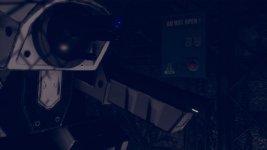
My try for a "sane" 720p intro upscale

Digitalzombie

New member
Heya!

Looooong time lurker here. I was feeling nostalgic and I know that every now and then someone peeks their head in here ;)

Today I tried my hands on upscaling the intro a bit. "Try" because I don't wanted the ugly AI artifacts and keep it as close to the original as possible. I *did* take a little shortcut by using the PSX version (and because I had problems converting the videos from the DOS version) which ahave a slightly better quality (no interlacing).

So here it is:

I may continue for the other clips. We'll see ... :D
 
Hey, looks pretty good to me. I recently re-played the DOS version of the game and I definitely see a large improvement here compared to the original clips, well done! (y)
 
Glad you like it ... I don't :D
Nah, that can be done better.

One could cut the intro into different parts and combine the scenes that are "the same". This way the upscaling software won't get confused because there is suddenly a HUD and image effects appearing on screen inbetween. That ... doesn't sound like fun.

But I *do* have 2-3 other ideas that I want to try out. It's a bit of work and I'm lazy, so it may take a while. But as we are not in a hurry here ... ;) There may be a bit more fresh Crusader content in the near future. I think it's time to get some life back in here
 
Oh well, I understand that feeling of never being really satisfied with your own work, but that has the advantage of prompting us to find ways to improve! ;) I'm certainly interested to see if your other ideas pay off and you can further improve the clips: like you said, we are not in a hurry, so just drop us a line here on the forum whenever you have something new to share 😁
 
Ooh nice. I'm not sure about the quality of the PSX source videos, but with a few hacks it's easy to produce a version of the PC movies with the interlacing removed if it would help. It might be a better source than the PSX videos after that, maybe? It feels like they have slightly more detail than your first video, but it's hard to tell how much detail my brain is just inferring.
 
Ooh nice. I'm not sure about the quality of the PSX source videos, but with a few hacks it's easy to produce a version of the PC movies with the interlacing removed if it would help. It might be a better source than the PSX videos after that, maybe? It feels like they have slightly more detail than your first video, but it's hard to tell how much detail my brain is just inferring.

Agreed. We have the deinterlaced movies on the site here: http://echosector.com/files/video/rem/no-remorse-movies.zip

Maybe try them out and see how it turns out! The intro is T02.avi.
 
@Digitalzombie please do feel free to take these to upscale if you can use them. I know that the people from ScummVM recently did get through to the actual video codec and can now decode it without quality loss from subsequent mpeg encoding, so we *might* be able to get a higher output quality.

Might, because the VQF codec they use already does quite a bit of loss for us.
 
Thanks! I will take a look at them for sure.

I've looked at the "general" opinion about the videos beforehand and most opinions were that the PSX version has the best quality. But that might be interpolation-bias.

Will poke a bit around ScummVM then too. Let's see what can be found :)
 
Hi, I've been visiting Echo Sector for years. It's nice to see a group of people that haven't forgotten the Crusader series.
On this particular thread's subject, I'd been playing around with AI upscaling too and found that there might be a possibility of using Seedance 2.0, with image and video reference to upscale FMV. I thought I'd share the results of my test with you all, with comparison to the original. I think the results are pretty good, especially managing to get it upscaled to 1080p. Not something I'm necessarily thinking of undertaking, but if it helps steer anyone else, I figured it was worth posting.

For the reference image I used a headshot of the actor, then fed in 10 seconds of the video (that was the limit). The prompt I used was to remaster the video file, that the image was a higher quality photo of the actor in the shot and not to alter the audio or video, no panning or zooming.

Unfortunately, this used quite a lot of credits to get it right, so I wasn't able to test with anything else, and Seedance is a bit pricey if I wanted to use it directly.

Here's the gdrive link; https://drive.google.com/file/d/1inolHL-YvlM8EwIAAwGFDsymEEYTxlqA/view?usp=sharing
 
Hi, I've been visiting Echo Sector for years. It's nice to see a group of people that haven't forgotten the Crusader series.
On this particular thread's subject, I'd been playing around with AI upscaling too and found that there might be a possibility of using Seedance 2.0, with image and video reference to upscale FMV. I thought I'd share the results of my test with you all, with comparison to the original. I think the results are pretty good, especially managing to get it upscaled to 1080p. Not something I'm necessarily thinking of undertaking, but if it helps steer anyone else, I figured it was worth posting.

For the reference image I used a headshot of the actor, then fed in 10 seconds of the video (that was the limit). The prompt I used was to remaster the video file, that the image was a higher quality photo of the actor in the shot and not to alter the audio or video, no panning or zooming.

Unfortunately, this used quite a lot of credits to get it right, so I wasn't able to test with anything else, and Seedance is a bit pricey if I wanted to use it directly.

Here's the gdrive link; https://drive.google.com/file/d/1inolHL-YvlM8EwIAAwGFDsymEEYTxlqA/view?usp=sharing
Thanks for visiting!

The result looks pretty good! Crusader is a great candidate for AI upscaling since there's (intentionally) not a ton of movement in cutscenes. They did that because the compression algorithm made lots of motion look really bad.
 
Thanks for visiting!

The result looks pretty good! Crusader is a great candidate for AI upscaling since there's (intentionally) not a ton of movement in cutscenes. They did that because the compression algorithm made lots of motion look really bad.
It's pretty amazing how far it's come from the Will-Smith-Eating-Spaghetti videos. Oddly, the result of the AI is essentially how I'd remembered the video looking all those year's ago. Strange how your brain fills in the lack of quality. I find it's the same with graphics.

I might be posting more in these forums every now and then, I've separately been investigating the possibility of upscaling game assets using AI, I figured since there's not likely to be any sort of remaster, that I might try some experimenting myself. I hadn't realised that MaddoScientisto had been doing some of the backwards engineering work already.
 
Back
Top